
Download Ghost Radar CLASSIC – Free Paranormal Detection App for Android & iOS
Overview of Ghost Radar CLASSIC
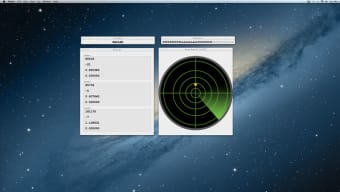
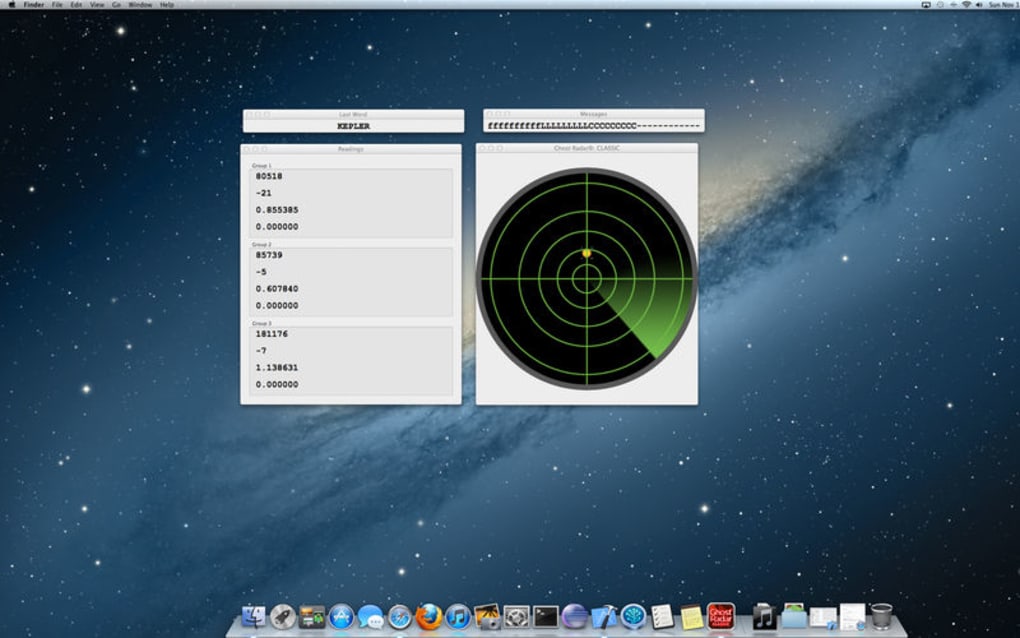
Ghost Radar CLASSIC is a playful yet intriguing mobile utility that promises to alert users when a “ghost‑like” apparition might be lurking nearby. Developed for both Android and iOS platforms, the app mimics a traditional radar screen: a circular display sweeps around your immediate vicinity, highlighting any detected anomaly as a bright blip. When the algorithm believes it has identified a potential paranormal presence, a voice prompt announces the finding, creating a spooky atmosphere that can be enjoyed alone or with a group of friends on a late‑night investigation.
While the app markets itself as a “ghost‑hunter’s tool,” it is primarily designed for entertainment. It supports multiple languages, making it accessible to a global audience. The developers have emphasized an “analysis” step that reduces false positives, meaning the radar will only trigger an alert after filtering out ordinary environmental noise such as moving shadows, pets, or electronic interference.
Whether you’re a serious paranormal enthusiast or simply looking for a fun way to spice up a camping trip, Ghost Radar CLASSIC offers a lightweight, free‑to‑download experience that feels like stepping into a classic horror movie.
Key Features and System Compatibility
Feature List
- Real‑time radar‑style visualization of detected anomalies.
- Audible voice alerts that announce potential ghost sightings.
- Multi‑language support for English, Spanish, French, German, and more.
- Adjustable sensitivity settings to fine‑tune detection thresholds.
- Low‑battery mode for extended investigations.
- Simple, one‑tap start/stop button for quick deployment.
- Free core version with optional in‑app purchases for additional skins and sound packs.
Operating System Compatibility
Ghost Radar CLASSIC runs on Android 6.0 (Marshmallow) and newer, as well as iOS 12.0 and newer. The app has been optimized for smartphones and tablets of various screen sizes, ensuring the radar display scales smoothly from compact phones to larger phablets. Users on older devices may experience reduced animation smoothness, but the core detection engine remains fully functional. The app is not currently available for Windows, macOS, or Linux desktop environments, though an emulator can be used if desired. Regular updates are pushed through Google Play Store and Apple App Store, keeping the detection algorithms current and addressing any reported bugs promptly.
Installation Guide and How to Use Ghost Radar CLASSIC
Installing Ghost Radar CLASSIC is straightforward. Open the Google Play Store or Apple App Store, search for “Ghost Radar CLASSIC,” and tap the “Install” button. The download size is under 30 MB, so it completes quickly even on slower connections. After installation, launch the app and grant the required permissions: location access (to calibrate the radar’s range) and microphone access (for voice alerts). The first launch includes a brief tutorial that explains the radar interface, sensitivity slider, and how to interpret the colored blips.
To start a detection session, press the central “Start Scan” button. The radar sweep begins automatically, rotating clockwise while scanning for electromagnetic fluctuations that the app’s algorithm flags as “unusual.” If an anomaly is detected, the radar spot turns red and the voice prompt says, “Ghost detected nearby.” You can tap the blip to view a timestamp, estimated distance, and a confidence level (low, medium, high). Adjust the sensitivity slider if you’re experiencing too many false alerts—lower settings reduce sensitivity, higher settings increase it. For night‑time investigations, enable “Dark Mode” to preserve battery life and reduce screen glare. When you’re finished, press the “Stop Scan” button; the app will log the session data, which can be exported via email for later review.
The app also includes a “History” tab where past detections are listed chronologically. Users can add personal notes to each entry, making it useful for documenting experiences during a haunted house tour or a paranormal research field trip. Remember to keep the device steady; rapid movement can create spurious readings. Overall, Ghost Radar CLASSIC balances ease of use with enough customization to satisfy both casual users and those who enjoy a bit of scientific‑style data collection.
Pros, Cons, Frequently Asked Questions, and Final Verdict
Pros
- Free to download with optional premium enhancements.
- Visually engaging radar interface that’s easy to understand.
- Multi‑language support broadens accessibility.
- Adjustable sensitivity reduces false positives.
- Low battery consumption with dedicated power‑saving mode.
Cons
- Detection is based on generic sensor data; not scientifically verified as paranormal.
- No integration with external hardware (e.g., EMF meters) for advanced users.
- Limited to Android and iOS; no desktop version.
- Occasional false alerts in environments with strong Wi‑Fi or Bluetooth traffic.
- In‑app purchases required for full customization options.
FAQ – Ghost Radar CLASSIC
Is Ghost Radar CLASSIC a real ghost‑detection tool?
The app uses device sensors (magnetometer, accelerometer, microphone) to detect unusual fluctuations, but it does not provide scientifically validated proof of paranormal activity. It is intended for entertainment and casual investigation.
Can I use the app without an internet connection?
Yes. After the initial download, Ghost Radar CLASSIC works offline because all processing occurs locally on the device. However, updates and language packs require an internet connection.
How accurate is the detection algorithm?
Accuracy varies based on environmental conditions and device sensor quality. The app includes a confidence rating for each detection, but users should treat results as suggestive rather than conclusive.
What languages are supported?
Ghost Radar CLASSIC supports English, Spanish, French, German, Italian, Portuguese, Russian, Japanese, and Korean. Additional language packs can be downloaded from the settings menu.
Is there a premium version with more features?
The free version includes all core functionality. A premium “Pro” upgrade unlocks extra radar skins, custom voice alerts, and the ability to export logs in CSV format. The upgrade is a one‑time purchase via the app store.
Conclusion – Should You Download Ghost Radar CLASSIC?
Ghost Radar CLASSIC delivers a fun, visually appealing experience that can turn any ordinary night into a mini‑investigation. While it lacks scientific rigor and should not replace professional paranormal equipment, its free price point, multilingual interface, and customizable sensitivity make it a solid choice for casual users and curious newcomers. If you enjoy a good thrill and want a simple way to “track” potential supernatural activity, go ahead and download the app today. Remember to keep an open mind, stay safe, and share your most interesting detections with friends—who knows, you might just become the next local legend.
Overall Rating: 4 out of 5 stars







